Hourglass Learn
Guides for using Hourglass and setting up its integrations are kept inside your organization's Hourglass. Here is how to reach them and find what you need.
Open Learn in your tenant
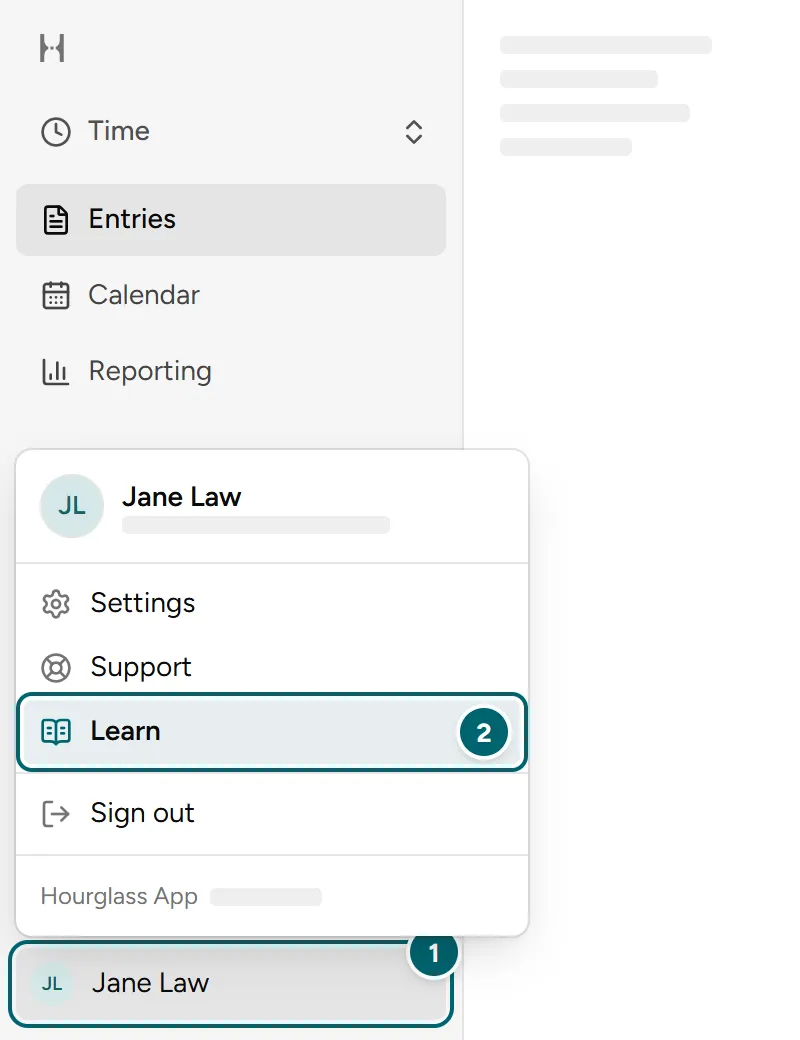
Sign in at the Hourglass address your organization gave you.Each organization has its own address, so there is no single link to Learn. If you don't have yours, ask your administrator.
Open Learn
- Select your name at the bottom of the left sidebar. On a phone, tap your picture at the top of the screen.
- Select Learn. It opens in a new tab, so your work stays where you left it.
Search for an article
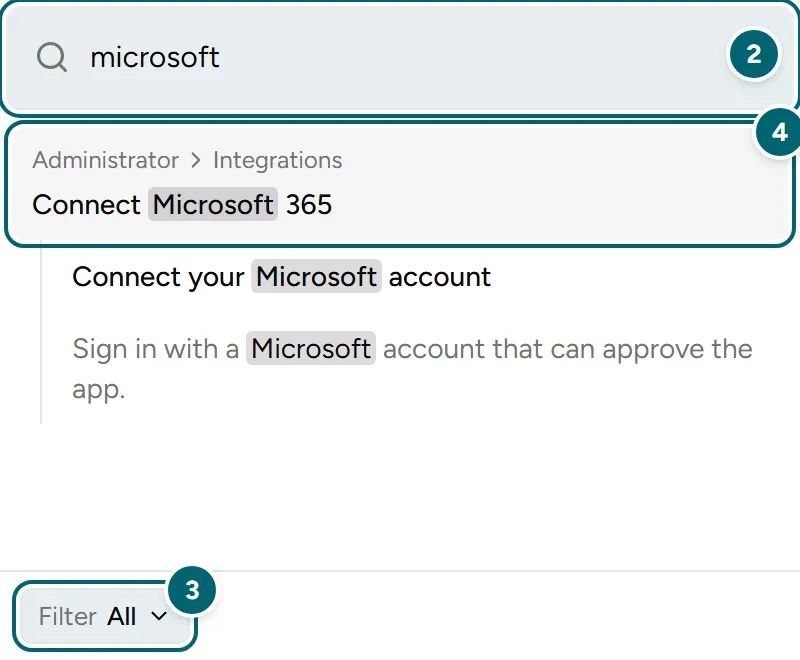
- Select Search at the top of the sidebar, or press Ctrl K. On a Mac, press Command K.
- Type what you need, such as the name of a feature or integration.
- Use Filter to search all of Learn or just one area.
- Select a result to open the article.
Browse by area
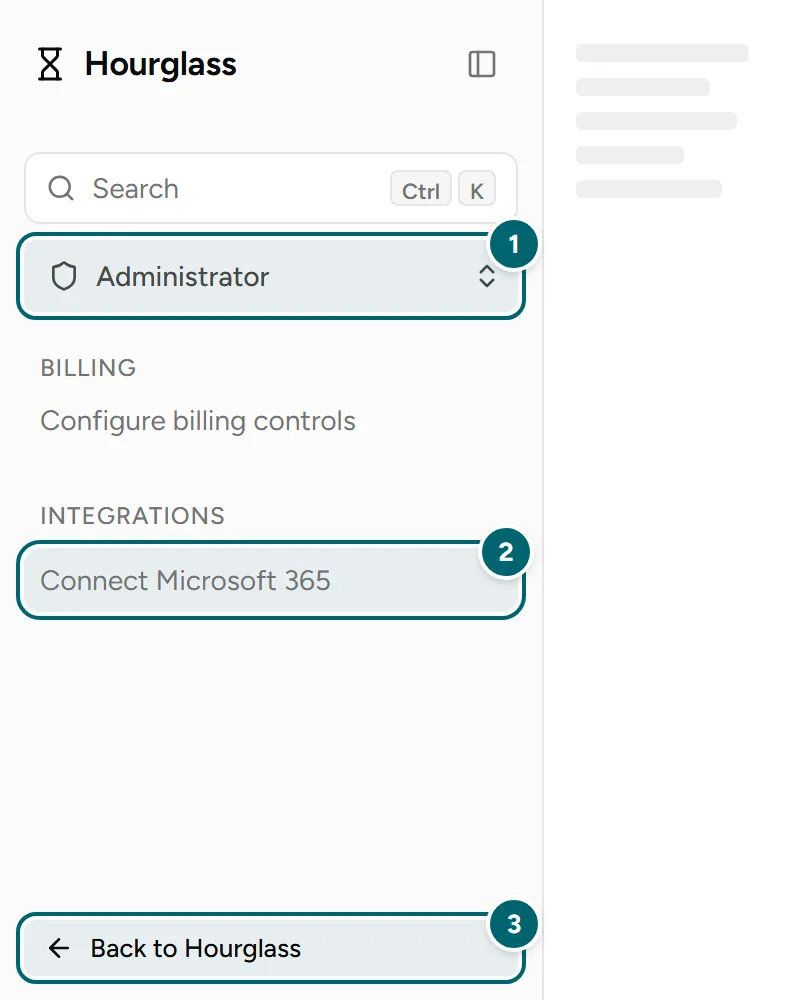
- Choose an area under Search. Time covers everyday timekeeping, and Administrator covers tenant configuration.
- Select an article in the sidebar.
- Select Back to Hourglass when you are done.
Find installation instructions
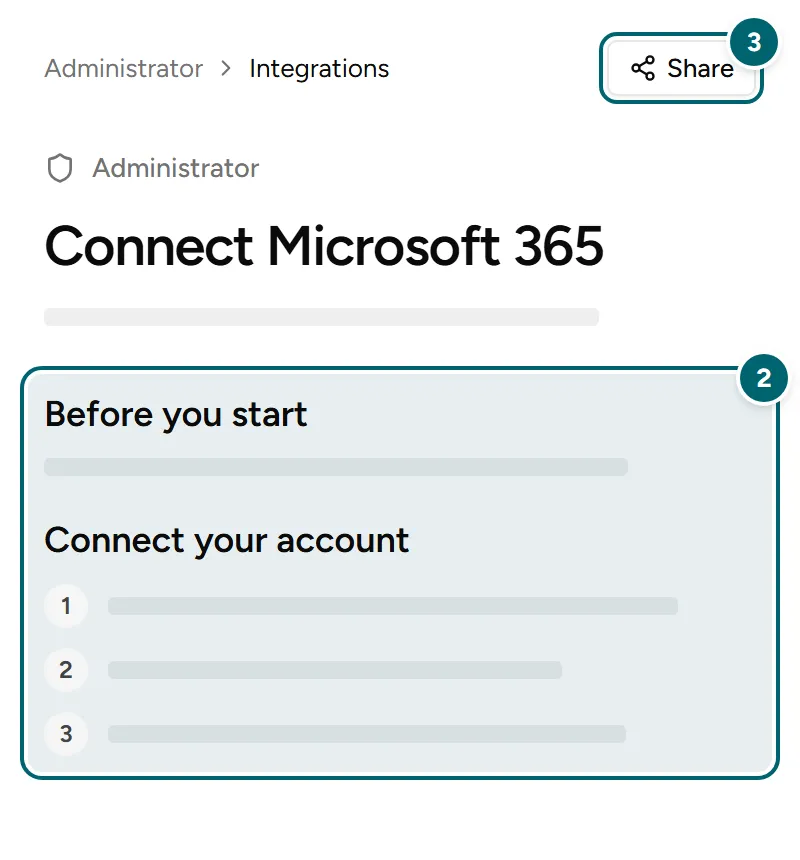
- Search for the integration by name, or open Integrations in the Administrator area.
- Follow the steps in the article. Work through them in order.
- Use Share to send the article to your administrator if a step needs access you don't have.
Can't find what you need?
Ask us. Open a request in your tenant, or email us if you can't sign in or can't reach Learn.