Hourglass Support
Open a request from inside Hourglass, where the conversation stays with your account. If you can't get in, email us.
Open a support request in your tenant
Sign in at the Hourglass address your organization gave you.Each organization has its own address, so there is no single sign-in link. If you don't have yours, ask your administrator.
Find Support after signing in
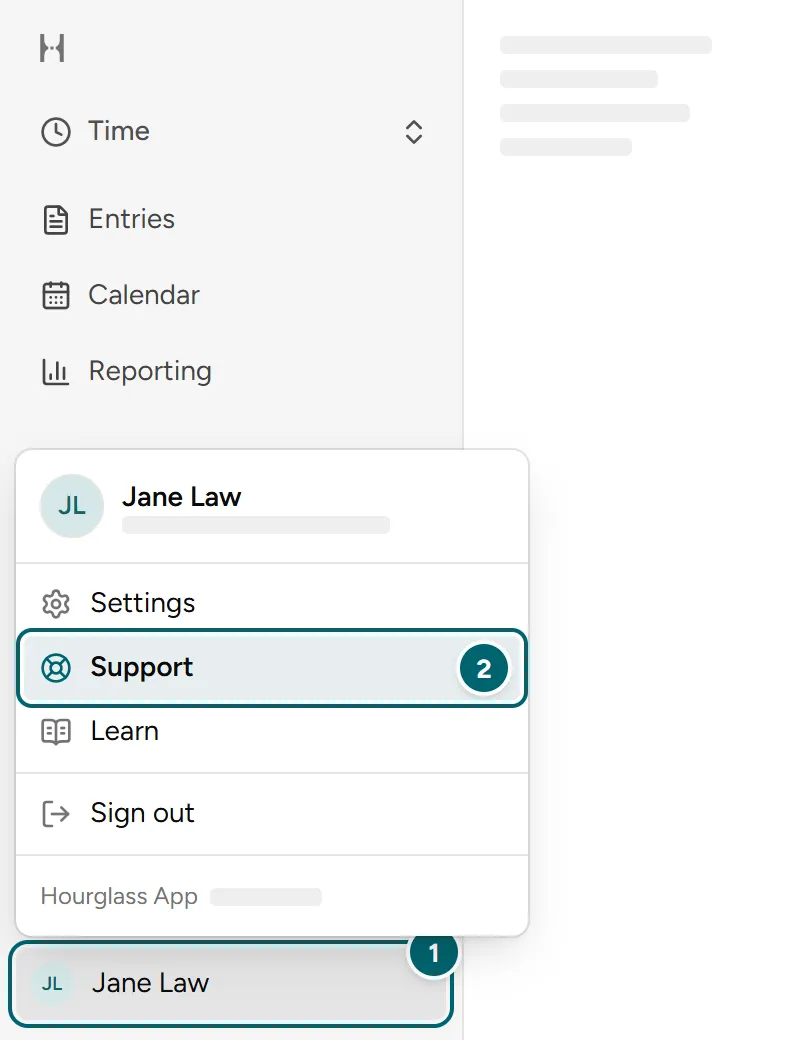
- Select your name at the bottom of the left sidebar. On a phone, tap your picture at the top of the screen.
- Select Support. You will see your own requests here.
Start a request and send it
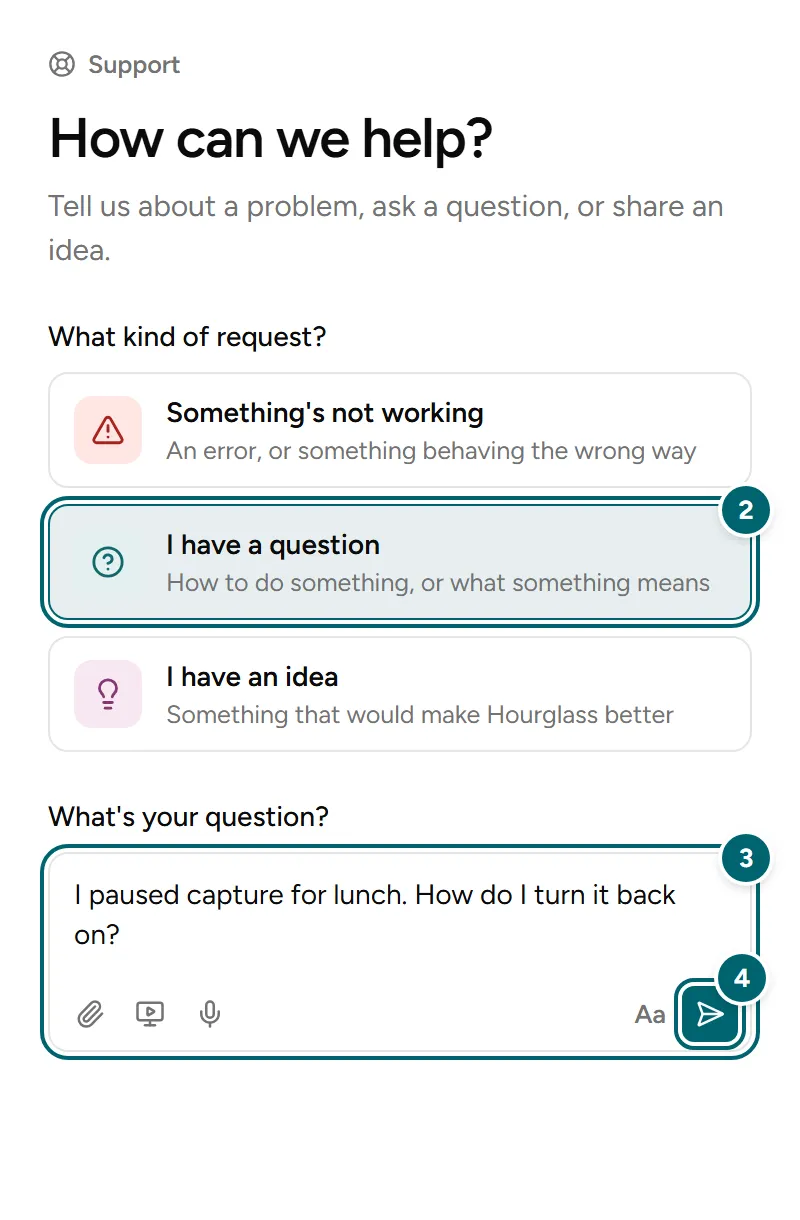
- Select New request. It is a button on your first request, and the pencil at the top of your Support list after that.
- Choose what kind of request it is: Something's not working, I have a question, or I have an idea.
- Describe it in the box. Your first line becomes the title of the request.
- Select Send, at the bottom right of the box.
Find your request, read the response and reply
- Open Support again from the menu under your name. A request with a new reply shows in bold with a count.
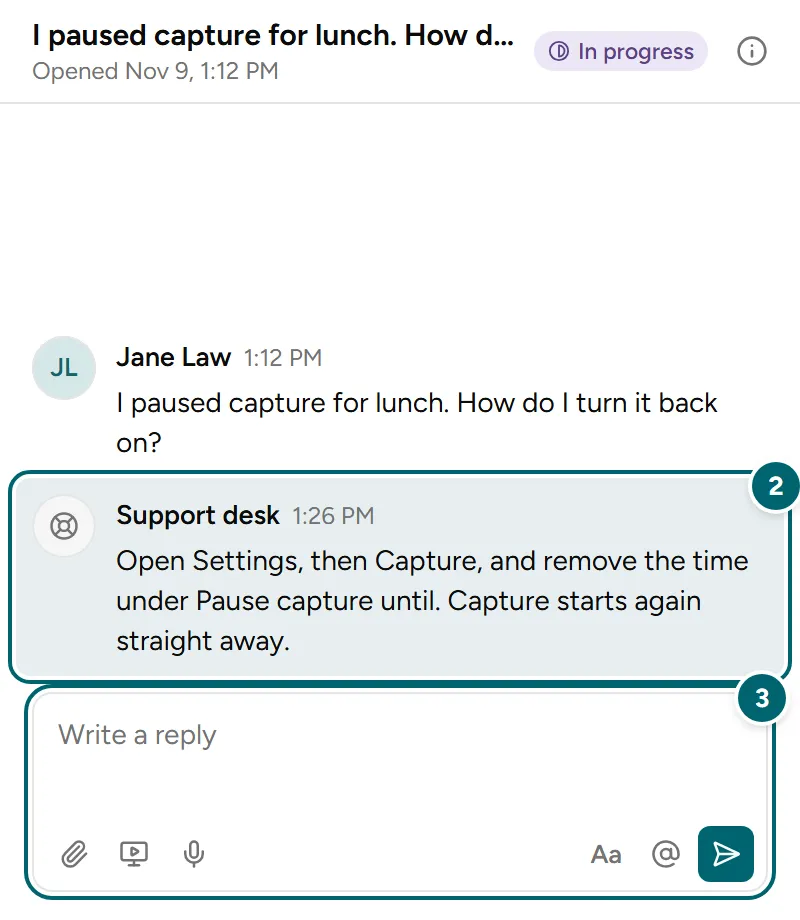
- Select the request to read the conversation.
- Write in the box below the conversation and select Send.
If a request has been closed, select Reopen to write again.
Email support
Email us if you can't sign in, can't see Support in the menu, or need help with an integration.
Please include
- Your tenant name
- The feature or integration affected
- A short description of what happened
Please leave out of your first email
- Passwords
- Access tokens
- Confidential client documents